
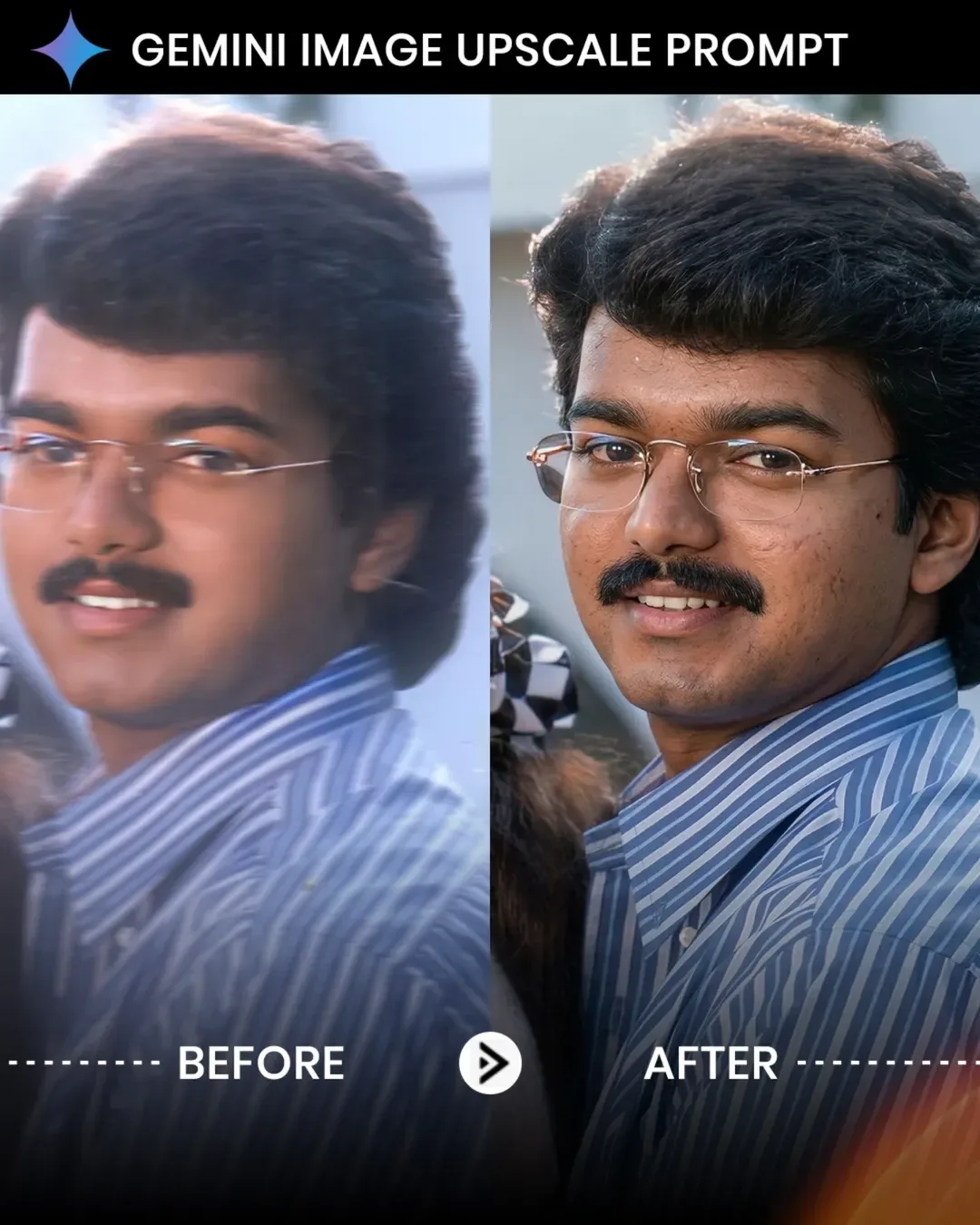
AI Face Identity Enhancer Prompt: Get Real DSLR Photo Quality
The field of generative AI graphics faces a frequent hurdle: the artificial smoothing effect. When rendering human portraits, image generation models tend to favor synthetic textures, yielding flat skin surfaces lacking realistic flaws. Utilizing the professional AI Face Identity Enhancer prompt pipeline enables users to bypass these limitations and output high-fidelity assets.
This instruction set operates as a parameter blueprint, telling the generation engine to treat facial landmarks as unchangeable elements while upscaling skin details to a crisp 8K configuration. It models real-world DSLR lens optics and camera sensory values, turning a basic render into a professional, high-end studio portrait.
The Problem with Plastic Textures in Generative Imagery
Standard text-to-image systems are built to optimize broad style vectors rather than minute surface details. When instructed to generate a "highly detailed portrait," the model often maps this to artificial commercial lighting styles, which strips out essential elements like natural skin texture, micro-pores, and fine hairs.
To establish human authenticity, your parameter string must explicitly state what to exclude. By setting strict boundaries against artificial beautification, you can force the software model to retain natural imperfections that convey true photorealism.
Deep Dive Into Camera Matrix Prompts
Simply requesting "photorealistic" results is no longer sufficient in prompt engineering. To truly manipulate modern model engines, you must feed them technical camera specifications. This configuration uses real lens physics to shape the composition:
85mm Portrait Focal Length: This specific telephoto profile naturally compresses facial features, avoiding the wide-angle nose distortion typical of default AI outputs.
f/1.8 Aperture Target Value: Instructs the background blur engine to isolate the subject face cleanly with smooth, deep bokeh falloff.
Multi-Point Studio Lighting: Establishes three distinct lighting points—key, fill, and rim—to frame and separate the subject from the background.
The Official AI Face Identity Enhancer Script (Copy-Paste)
Use the optimized system block below to copy your advanced rendering setup instructions. Paste this configuration directly into your console text terminal along with your image source link.
Technical Deployment Checklist for Best Results
To ensure your output renders with maximum clarity and no structural distortion, check these core deployment steps:
Step 1: Set Reference Weights to Maximum
When using tools like Stable Diffusion, Midjourney, or Leonardo AI, make sure to maximize your image-weight configuration settings (`--iw 2.0` or equivalent) to keep facial structures tightly aligned with your source image.
Step 2: Isolate the Negative String Block
Ensure that parameters like *over-smoothed skin, plastic face, and cartoon* are entered directly into the designated negative prompt fields of your generation software console.
Step 3: Enable Native High-Resolution Up-scaling
Do not rely on standard post-generation stretch tools. Choose continuous upscale engines (like Supreme Architecture or Ultrasharp algorithms) to preserve individual skin pores and prevent artifacting.
Core Execution Rules and Preserve Parameters
Anatomical Preservation Rules: Restricts the generator from altering iris colors, bone configuration scales, or native lip symmetry lines.
True-to-Life Skin Gradients: Blocks the model's smoothing function to protect natural texture depth, skin folds, and pore structures.
Simulated Full-Frame Optics: Standardizes rendering across clear 85mm camera depths, preventing flat background stitching.
Frequently Asked Questions (FAQs)
Can I apply this identity enhancer script to landscape scenes?
This script is explicitly optimized for human portraits and close-up lifestyle shots. Applying it to broad environments can cause the engine to focus too heavily on micro-textures rather than global scenery details.
What should I do if the output still shows plastic textures?
Double the weighting on your negative prompt strings, and ensure you aren't using styling phrases like "perfect skin" or "glamour shot" elsewhere in your prompt sequence.
Does this prompt format increase image rendering wait times?
Yes. Because the prompt demands a complete 8K texture pass, your chosen generation engine will take longer to compute the complex lighting and micro-detail calculations.
Final Technical Overview
Eliminating artificial traits from generative images requires clear, detailed instruction sets. By implementing the AI Face Identity Enhancer prompt framework, you replace generic styling assumptions with realistic camera metrics and strict negative boundaries. This simple adjustment ensures your AI-generated imagery matches professional, DSLR-quality photography.
For more advanced prompt tools, upscaling workflows, and direct code adjustments, check out our community hub updates page: @all_tech_tamil